
Download 135 Official Mac Wallpapers in 4K for Free

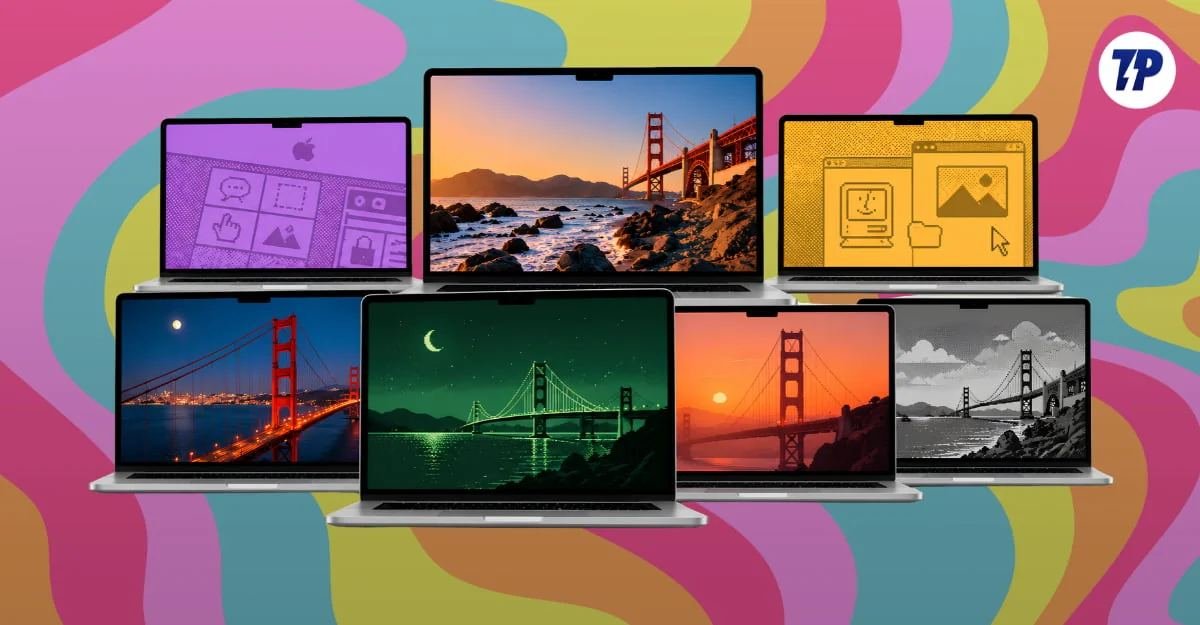
Apple's most popular product after the iPhone is the MacBook. MacBooks come in various sizes and variants, from the recently announced $14,000 maxed-out MacBook Pro with a touchscreen to the Apple MacBook Neo for people looking for an affordable MacBook.
Every year, Apple refreshes its lineup with new models and new wallpapers to match. Moreover, Apple-designed Mac wallpapers look clean, premium, and visually appealing, so many non-Mac users also set them as their desktop wallpapers.
According to the source, we have had plenty of Mac wallpaper drops, but this guide is different: it lists the entire Mac wallpaper portfolio, from Mac OS X to the latest MacBook Pro XDR display wallpapers. We also update this wallpaper frequently whenever Apple releases new wallpapers or products.
MacBook Wallpapers
Some of the wallpapers available for download include:
- 2026 MacBook Pro XDR Wallpaper
- MacBook Neo Citrus Wallpaper
- MacBook Neo Blush Wallpaper
- MacBook Neo Silver Wallpaper
- MacBook Neo Indigo Wallpaper
macOS Wallpapers
Some of the wallpapers available for download include:
- macOS Golden Gate Aerial Sunset
- macOS Golden Gate Aerial Storm
- macOS Golden Gate Aerial Night
- macOS Golden Gate Aerial Day
- macOS Golden Gate Bridge
- macOS Golden Gate Dark
- macOS Golden Gate Light
Other Wallpapers
Some of the wallpapers available for download include:
- 2025 MacBook Air M4 Sky Blue
- macOS Tahoe Beach Night
- macOS Tahoe Beach Dusk
- macOS Tahoe Beach Day
- macOS Tahoe Beach Dawn
- macOS Tahoe Dark
- macOS Tahoe Light
These wallpapers are available for download in 4K resolution and can be set as the desktop wallpaper on Mac or Windows devices.
To download the wallpapers, click the download link under each wallpaper to open Google Drive, then click the download icon in the top-left corner to save it locally on your Mac or phone.
Alternatively, you can also set the wallpaper by right-clicking the downloaded image and selecting Set as wallpaper.